Overview
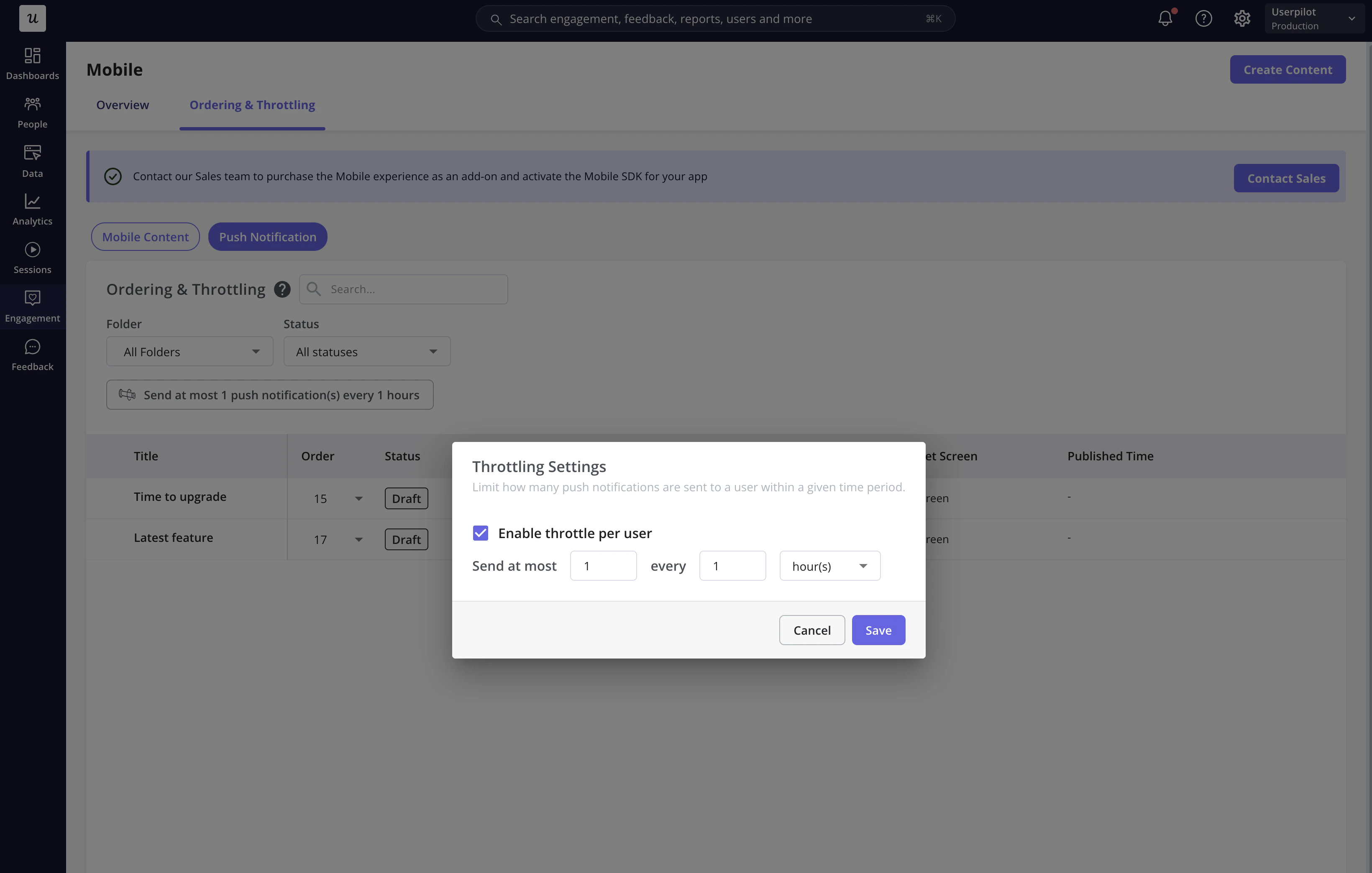
In the ordering tab, you can prioritize your mobile content by placing it in a sequential order and manage its frequency using throttling. This allows you to control which content is displayed first when multiple items are eligible to appear, while also preventing users from being shown content too often You can configure throttling separately for:- Carousels & Slideouts (in-app content)
- Push notifications
Why throttling matters
Without throttling, users may receive too many messages in a short period, leading to:- Poor user experience
- Increased dismissals
- Notification fatigue
- Limit message frequency
- Balance multiple campaigns
- Improve engagement and retention
Mobile content ordering behavior
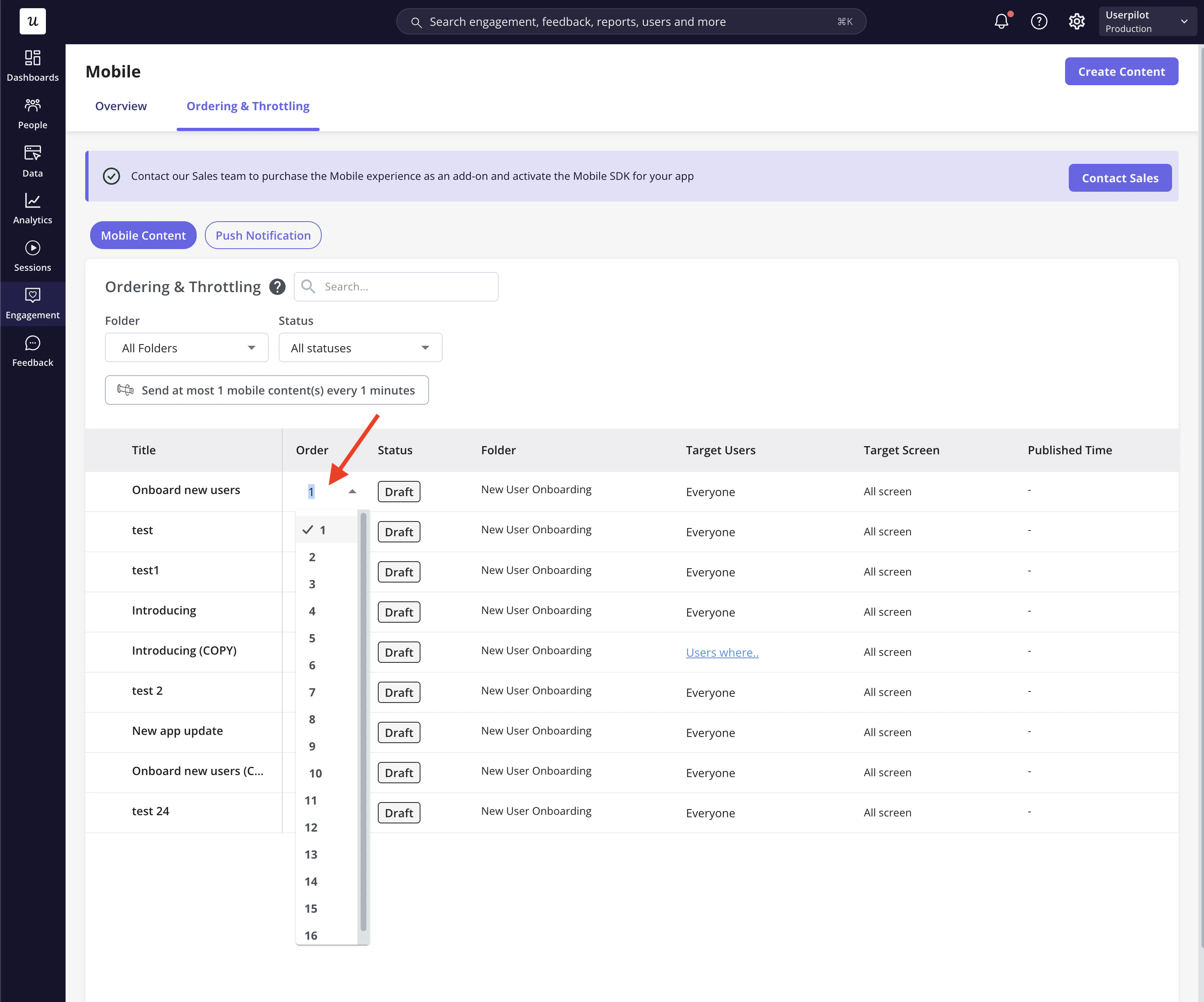
- Rearrange mobile content by updating the order number or dragging and dropping items to adjust priority.
- Mobile content that requires user action (e.g, a custom event) to occur will still be shown once that action occurs later. However, at this time, if other mobile content is also available to start on the same page, it will show first.
- Mobile content that is created more recently will be added to the end of the list and prioritized lower than older mobile content.
- Once a mobile content has a status of “Archived”, it will no longer appear within the ordering list.
- Once a mobile content is set to be triggered manually or via a link, it will no longer appear within the ordering list.
Mobile content throttling behavior
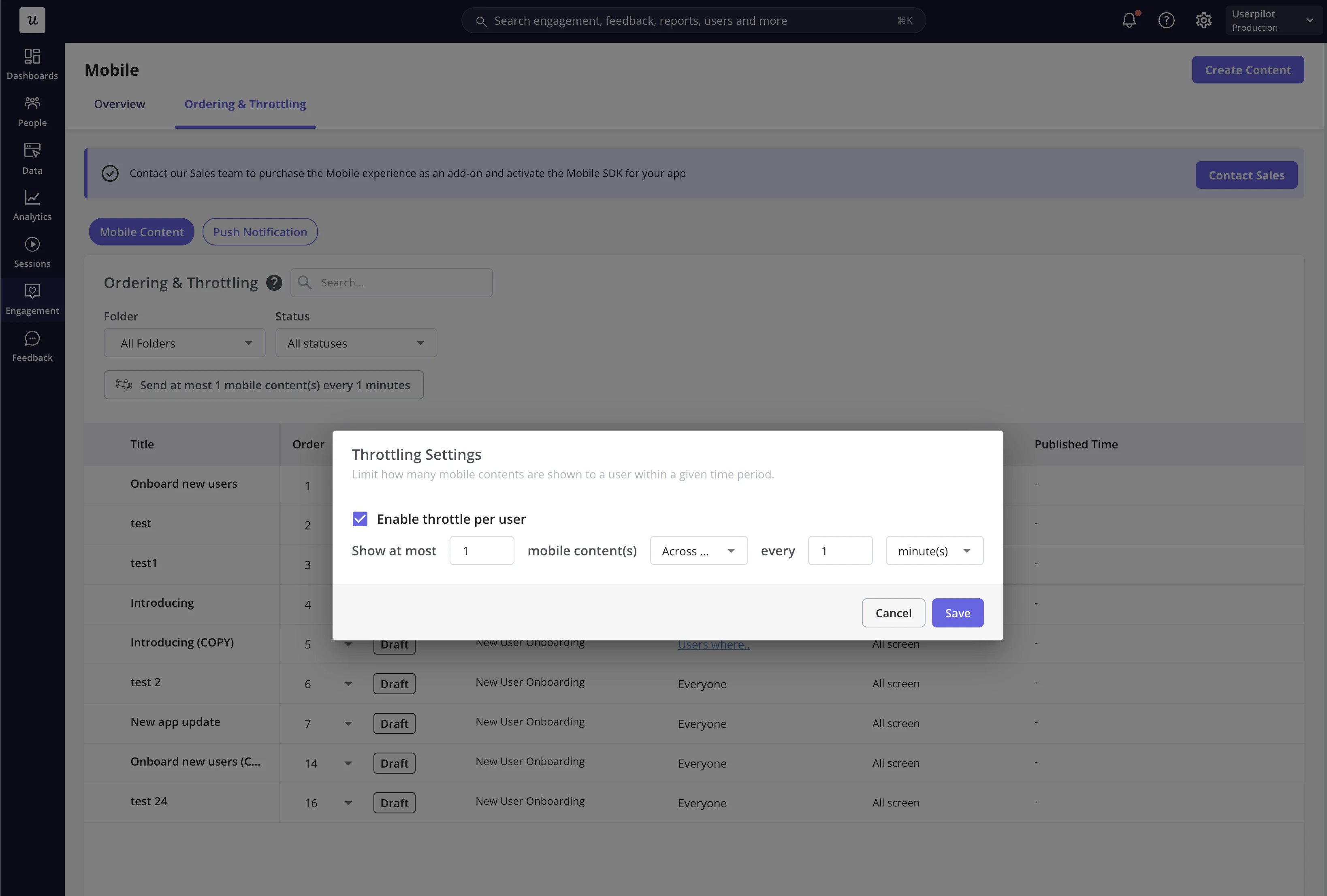
Throttling for Carousels & Slideouts
You can control how often in-app mobile content appears to users.How it behaves
- Throttling applies across all eligible carousels and slideouts
- If multiple content items are eligible at the same time:
- Ordering determines priority
- Throttling limits how many are shown
- Lower-priority items may be skipped if the throttle limit is reached
Example
If throttling is set to:→ Show at most 1 content every 30 minutes Then:
- Only one carousel or slideout will appear
- Other eligible content will wait or be skipped
Throttling for Push Notifications
Push notifications have their own independent throttling settings, separate from in-app content.How it behaves
- Limits how many push notifications a user can receive
- Applies across all push campaigns
- Prevents users from receiving too many notifications in a short time
Example
If throttling is set to:→ Send at most 2 notifications per 24 hours Then:
- Any additional notifications will not be sent until the next window